StreetProof

See where you've run.
Cover new ground.

A map-first running app for iPhone and Apple Watch. Every run fills in your map — the streets you've covered show, and the ones you haven't keep pulling you somewhere new.

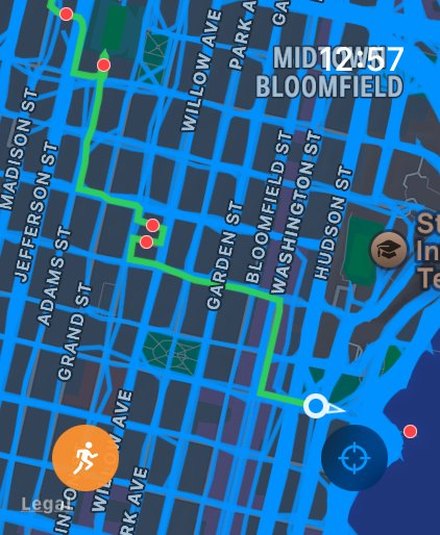
StreetProof coverage map

Most run trackers focus on numbers. StreetProof focuses on the map. It's for explorers chasing new territory, completionists hitting every block, and anyone tired of the same loop. The route isn't an afterthought anymore. It's the reason you're out there.

What's in the app

All of it free. No ads, no run limits.

Your coverage map

Every route you've run, drawn on one map.

Live route tracking

Watch your run draw in real time as you go.

Workout history

Browse or filter past workouts with routes, splits, and stats.

Works with Apple Health

Pulls routes from Apple Health and saves new ones back to it, all kept private.

Detailed metrics

Pace, heart rate zones, elevation, running form — everything your devices capture, saved to Apple Health. Plus StreetProof's own scores: effort, training load, and adjusted pace.

Map layers and filters

Turn past routes on or off, filter them by date, or have each run drawn in a different color. The watch has its own set of switches.

Live Activities

Your workout on the Lock Screen and Dynamic Island.

Share your route

Any run exports as a clean image or clip of its route, ready to post.

More than running

Walks and bike ride activities from Apple Health appear, too, along with the stats from treadmill and stationary bike activities.

StreetProof on Apple Watch
Leave your phone at home.

Most fitness apps treat the Apple Watch as a stripped-down, metrics-only companion to the phone. StreetProof gives you the full map-first experience on your wrist with a cellular Watch — your coverage, your current run, and nothing else to carry.

The upgrade
StreetProof+

Your map shows where you've run. StreetProof+ raises the stakes: the blocks you've claimed, the cities you're closing in on, and the streets still waiting.

7-day free trial · $4.99/year or $19.99 once

StreetProof Proof Pins — claimed pins in blue, unclaimed in red
Proof Pins

Claim your streets.

Proof Pins mark every block in your city. Run past one and it's yours — that's StreetProof. Chase down the rest on streets you've never run.

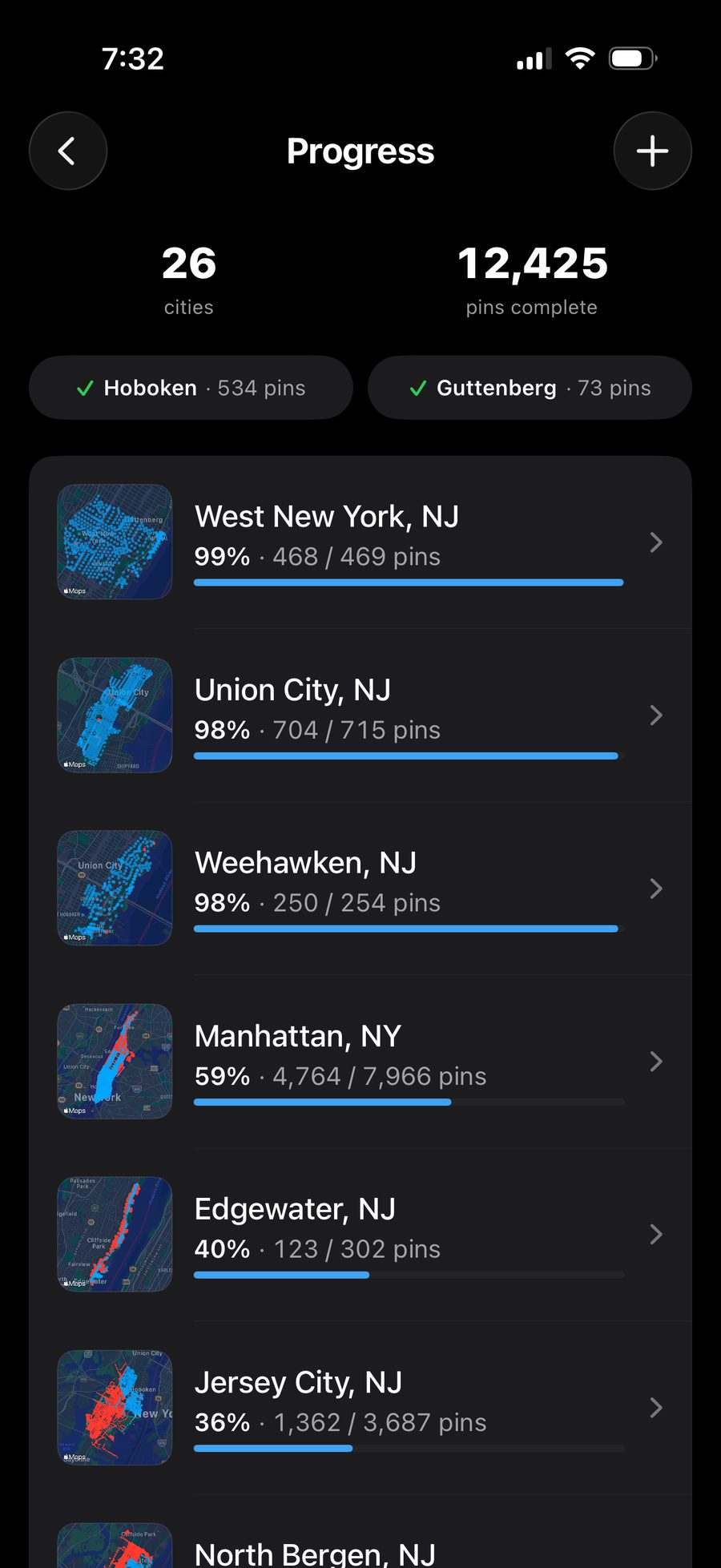
Progress

Your cities, your progress.

Zoom out and watch each city fill in, run by run. See how far you've come and how close you are to closing one out.

StreetProof Progress — 26 cities, per-city coverage
Proof

Share your proof.

Export any run, city, or your whole map as an image or a short clip. Watch a run draw itself and claim pins as it goes, or replay a city filling in run by run — stills and videos, light or dark, with your stats built in.

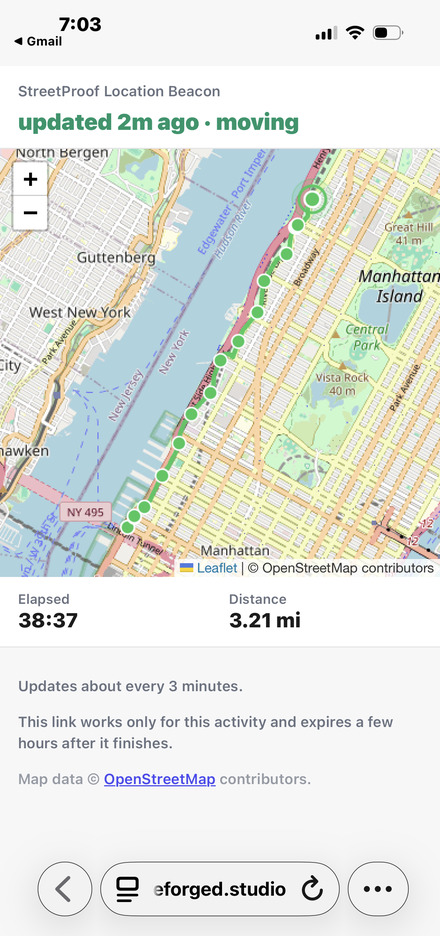
StreetProof Location Beacon — the live page a contact sees
Location Beacon

Give someone a front-row seat.

Set it up once with one person's email. Every activity you start sends them a link to a private page: your route so far, where you are now, how recent that is. The link expires soon after you finish.

Also in StreetProof+

Auto-Add Cities

Run somewhere new and its pin pack loads automatically — coverage ready, no taps.

Custom routes

Map out new ground with your pins and past runs in view, then follow along live on your phone or watch.

Shoe manager

Tag your shoes on each run to track mileage across your rotation.

Splits and zone alerts

Mile and pace in your ears as you run. Spoken cues when you drift out of your target heart rate zone. No glancing at your wrist.

GPX and CSV export

Take it all with you. Routes as GPX, your numbers as a spreadsheet — runs you recorded in StreetProof and the ones imported from Apple Health.

Try StreetProof+ free for 7 days.
7-day free trial
Annual
$4.99 / year

Try everything free for 7 days. Cancel before the trial ends and pay nothing.

Start free trial
Lifetime
$19.99 once

Yours forever. Every future StreetProof+ feature included.

Own it forever

Now get outside.

Download on the App Store

Free for iPhone and Apple Watch. StreetProof+ optional.

More questions? See Support.